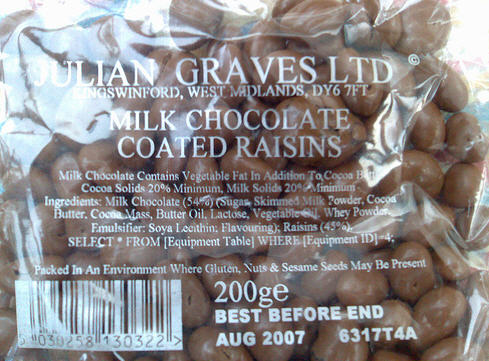
Also packed in an environment where MS Access may be present, as
it does [Col Name] for identifier quoting (and Access users often
use spaces in identifiers).
Jan
30
2007
Jan
30
2007
I have been asked numerous times what does “load average” means in top. If you don’t know what top is and you have access to linux machine, go type top now and see what it shows.
load average: 2.05, 2.17, 1.93
Quick answer is: first number (2.05) is 1 minute avg, second number (2.17) is 5 minute avg, third number (1.93) is 15 min avg. Generally system admins look at these #’s to see how is their server is doing. But now you wonder, if this is the #’s you look at, why is there cpu %? Isn’t that computer load also? Ofcourse it is. BUT, meaning of cpu % shown in [ Cpu(s): 14.2% us, 1.7% sy, 0.0% ni, 80.7% id, 3.1% wa, 0.0% hi, 0.3% si, 0.0% st ] actually just means how much % of time was spent doing stuff on cpu. On the other hand, load average takes other things such as how much cpu’s were being used and how many process had to wait for their turn to use cpu, etc. Thats why sometimes you will see high % for Cpu …
[Read more]
Jan
30
2007

Lately I've been thinking about how open source is disrupting the software industry. In Silicon Valley, people tend to focus on a very narrow view of disruption focusing on prices or features. But I think disruption is more than that.
Consider these examples:
- The PC disrupted minicomputers by giving individuals power to develop and run their own applications outside of IT
- Digital cameras disrupted film by providing instant gratification
- Netflix disrupting Blockbuster by eliminating late fees
- Salesforce.com disrupted Siebel by eliminating long CRM implementation cycles
Typically new entrant disrupts the market by doing something different than the incumbent vendor. PC's weren't just smaller, cheaper minicomputers. They served a different …
[Read more]
Jan
30
2007
Hola, MySQL Developers, DBAs and Users alike. I've been absent from the blogging scene for a number of weeks now (bad Jay, bad!). What have I been doing? Oh, just planning and organizing the biggest and baddest conference the world has EVER seen. Ah, you laugh. You mock. The 2007 MySQL Conference and Expo registration is now open. As program chair, I have a duty, no, an insatiable desire, to tell you all why this year's conference is worth ten times more than the price of admission. So here goes.
The Nerdliest of All Geeks So Speaketh
You want technical sessions about scaling, developing, monitoring, administering, and tuning MySQL that will blow the socks off anything you'll find at any other DB conference? Check this short list out:
Google, flickr.com, digg.com, FotoLog, Xing.com
…
[Read more]
Jan
30
2007
Ok, so this doesn't work on all Linux systems. This because many
don't ship with LinuxThreads libraries any more. While that's
nice in theory, reality is that NPTL threading does not always
work well, in particular MySQL server on 64-bit machines can
experience trouble. Other apps don't see the problems because
they don't use that many threads.
If a threading hacker with spare time were to care about
looking over the NPTL code to make it work well with hundreds (up
to a few thousand) threads, that would be grand.
In the meantime, you may find the below patch useful: it modifies
mysqld_safe so you don't need to keep tweaking it when you
upgrade your MySQL version. See the inline comments for further
details.
--- mysql-5.1/scripts/mysqld_safe.sh 2007-01-29
  10:26:34.000000000 +1000

  +++ mysqld_safe.sh 2007-01-30 10:39:12.000000000 +1000

  @@ -33,6 +33,7 @@

  --ledir=DIRECTORY …
Jan
30
2007
MySQL AB today unveiled a simpler way for large and growing organizations to acquire and adopt enterprise software. Designed with a customer?s perspective in mind, a one-year MySQL Enterprise Unlimited subscription offers a company-wide enterprise site agreement at the unprecedented low price of $40,000 (EUR 32,000, GBP 24,000).
Jan
30
2007
Jan
30
2007
Jan
30
2007
Jan
29
2007
I just noticed that the schedules for the Sessions and Tutorials of our upcoming MySQL Conference &
Expo (which takes place on April 23rd-26th in Santa Clara,
California) is now online. The program looks very promising and I
am particularly excited that some of the sessions that I have
helped to arrange made it into the final program:
- openBC / Xing: Growing Pains by Michael Otto and Erick Dennis from ePublica
- PrimeBase XT: Design and Implementation of a …